

Agents page
Every standard agent in your account appears on the Agents page. You’ll come here to register an agent, to open one, or to see how much your agents have been doing. Agents belong to the account, not to a single environment, so the page covers all of them.
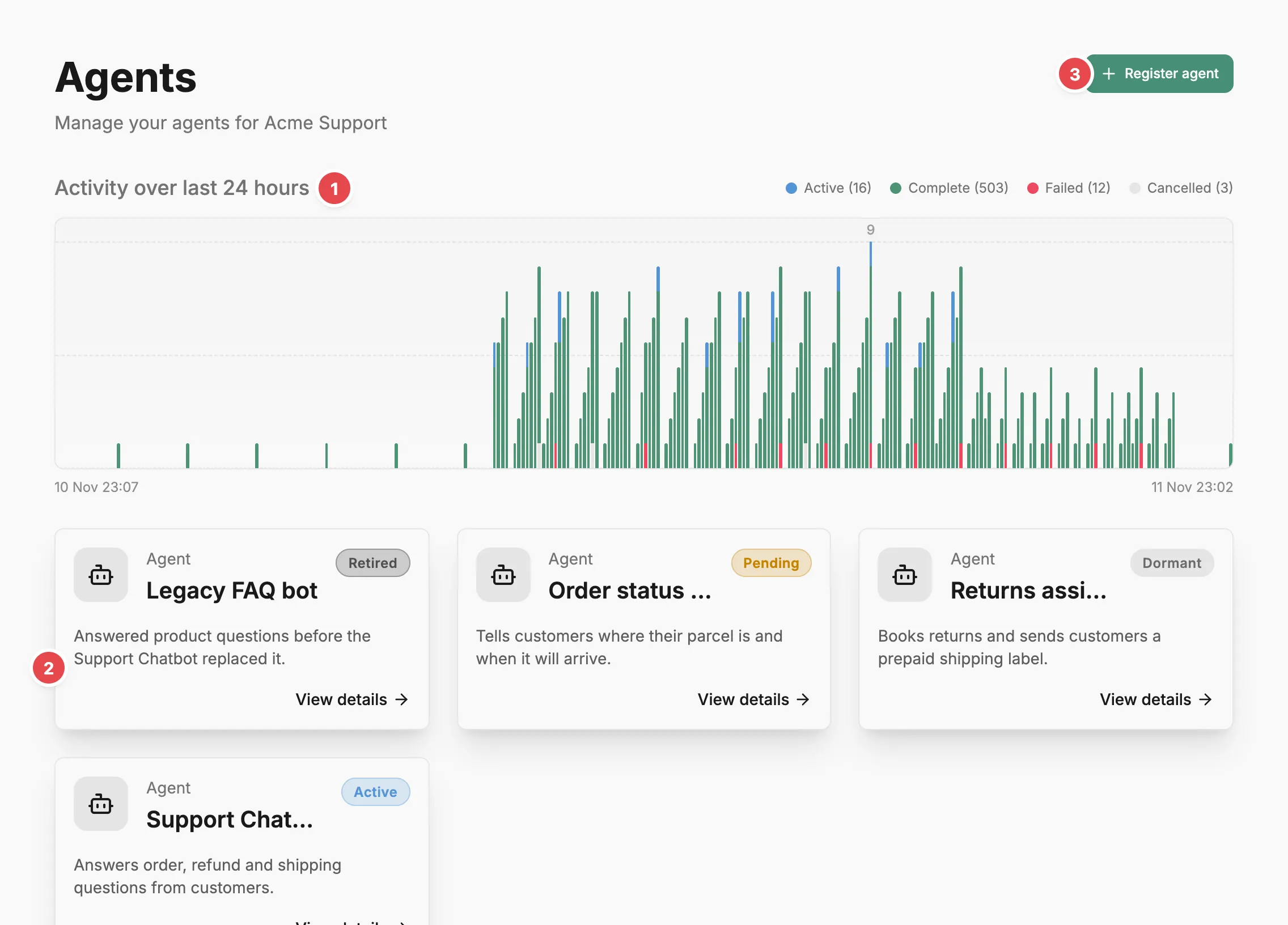
- Activity chart - spans from all your agents, by status.
- Agent card - opens that agent’s page.
- Register agent - adds a new agent to your account.
Activity
Section titled “Activity”At the top, the Activity over chart counts spans from all your agents by status: Active, Complete, Failed, and Cancelled. It follows the time range picker in the top bar (24h, 7d, or 30d), and its heading names the range. Terminated applies to instances, not spans: terminating a run signals the agent to stop, and the run’s spans keep whatever status they reached.
Agent cards
Section titled “Agent cards”Below the chart, each agent appears as a card with its name, description, and status: Pending, Active, Dormant, or Retired. Select a card to open the Agent page.
While you’re on the Agents page or an agent, the sidebar’s Agents item expands. It lists agents without a team first, then a heading for each team that has agents, with those agents beneath it. Select a team heading to open the Agents page filtered to that team, titled with the team’s name. Registering an agent from the filtered page assigns it to that team by default.
Judges are agents too, but they have their own list on the Judges page.
Register agent
Section titled “Register agent”Register agent opens a dialog with a required Name, an optional Description, and three optional assignments: Risk profile, Team, and Owner. Teams come from the Teams page and owners from the People page. Once you save, Prefactor opens the new agent’s page. To send runs from your code, configure the SDK with an API token: a deployment token from the Agent page › Deployments tab for runtime SDKs, or an account-wide token from the Account › API tokens tab. Configuration lists the environment variables. Runs the SDK records appear on the Agent page › History tab.
Related
Section titled “Related”- Agent — what an agent is, how versions are created, and how the agent lifecycle works.
- Register an agent — the steps from registration to the first recorded run.
- Organise agents by team — assign agents to teams so the sidebar and filtered lists group them.
- Agent page — the strip above the tabs and how the tabs fit together for a single agent.
- Configuration and environment variables — set
PREFACTOR_API_TOKENandPREFACTOR_AGENT_IDin the SDK.