

Risk tab
How Prefactor scored the run under the agent’s assigned risk profile. The score and risk level are on the Risk score card above the tabs; this tab, headed Risk assessment, shows what went into them. The tab only appears when the agent has a risk profile.
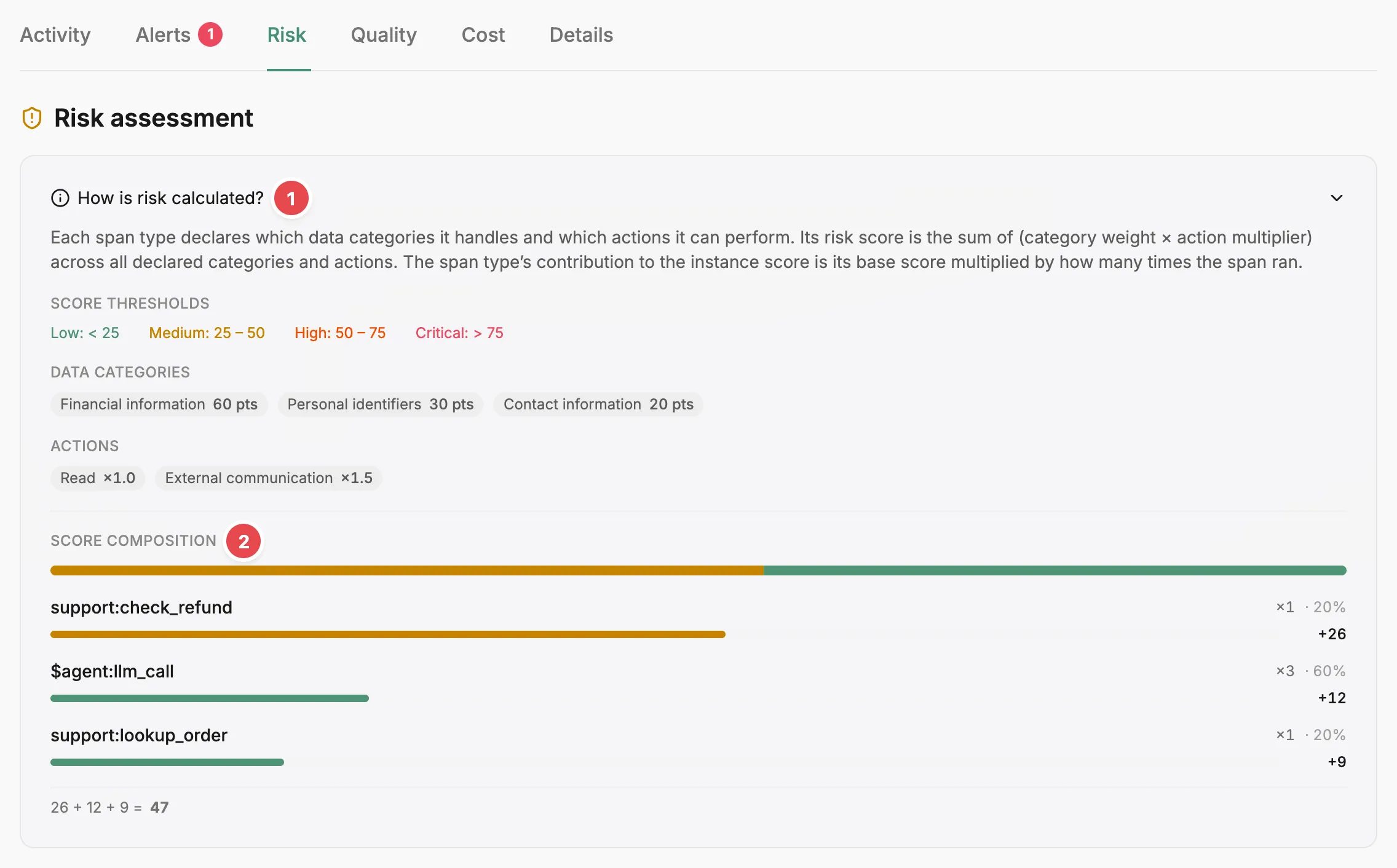
- How is risk calculated? - the scoring model, thresholds, weights and multipliers for this run.
- Score composition - the points each span type added to the total.
How is risk calculated?
Section titled “How is risk calculated?”The explanation is collapsed under How is risk calculated?. Open it to see the scoring model restated for this run. Each span type’s score is the sum of category weight × action multiplier across the data categories and actions it declares, and its contribution to the instance total is that score multiplied by how many times the span ran.
Below the explanation are the profile’s score thresholds for Low, Medium, High, and Critical. Then come the data categories with their weights and the actions with their multipliers. Only the categories and actions that appear in this run’s spans are listed, not everything the profile defines.
Score composition
Section titled “Score composition”Prefactor breaks the instance total down by span type, largest contribution first. For each span type that contributed, you get the span type name, the number of spans of that type the run recorded, that type’s share of the run’s scored spans (spans whose type declares data categories or actions) as a percentage, and the points it added to the total. A summed equation at the bottom reconciles those contributions with the instance score.
Related
Section titled “Related”- Risk profile — how profiles define weights, multipliers, thresholds, and agreed scope.
- Agent instance page — the risk score card and the strip above the tabs.
- Activity tab — the risk level of each span.