

Alerts tab
Every alert raised on a run lands here, whether your agent raised it or one of the agent’s threshold rules did. The tab shows a red count of alerts that are still active, so a run in trouble stands out before you open it.
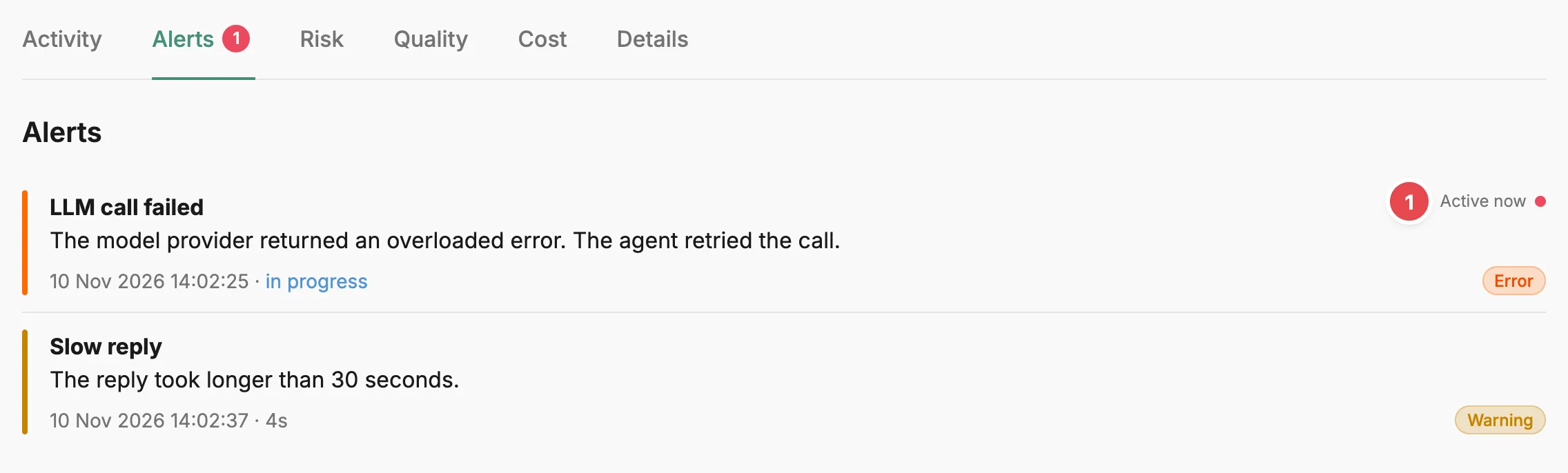
- Active now - the alert has been raised and hasn’t cleared.
Each alert has a title, a one-line summary, a severity, and the time it was raised. An alert that hasn’t cleared is labelled Active now. One that has cleared shows the time range between being raised and cleared. Select an alert to open its details, then use Previous and Next to step through the others.
The details show the alert’s payload as a table of fields and values, followed by the alert’s history and its ID. A payload can contain sensitive data, which stays hidden until you turn on Show sensitive information. When an alert has a long history, the details show only its most recent events.
Related
Section titled “Related”- Alert — what an alert is, how it raises and clears, and the threshold rules behind Prefactor’s own alerts.
- Triage alerts — work through the alerts raised on your agents.
- Sensitive data — how sensitive values are marked and hidden.
- Agent instance page — how the instance tabs fit together.