

People
People are the members of your organisation who own your agents. Recording them lets Prefactor show who is responsible for an agent, and group the agents that need attention by owner on Home. People don’t sign in to Prefactor: the admin users who use the web app are managed in Account › Admin users.
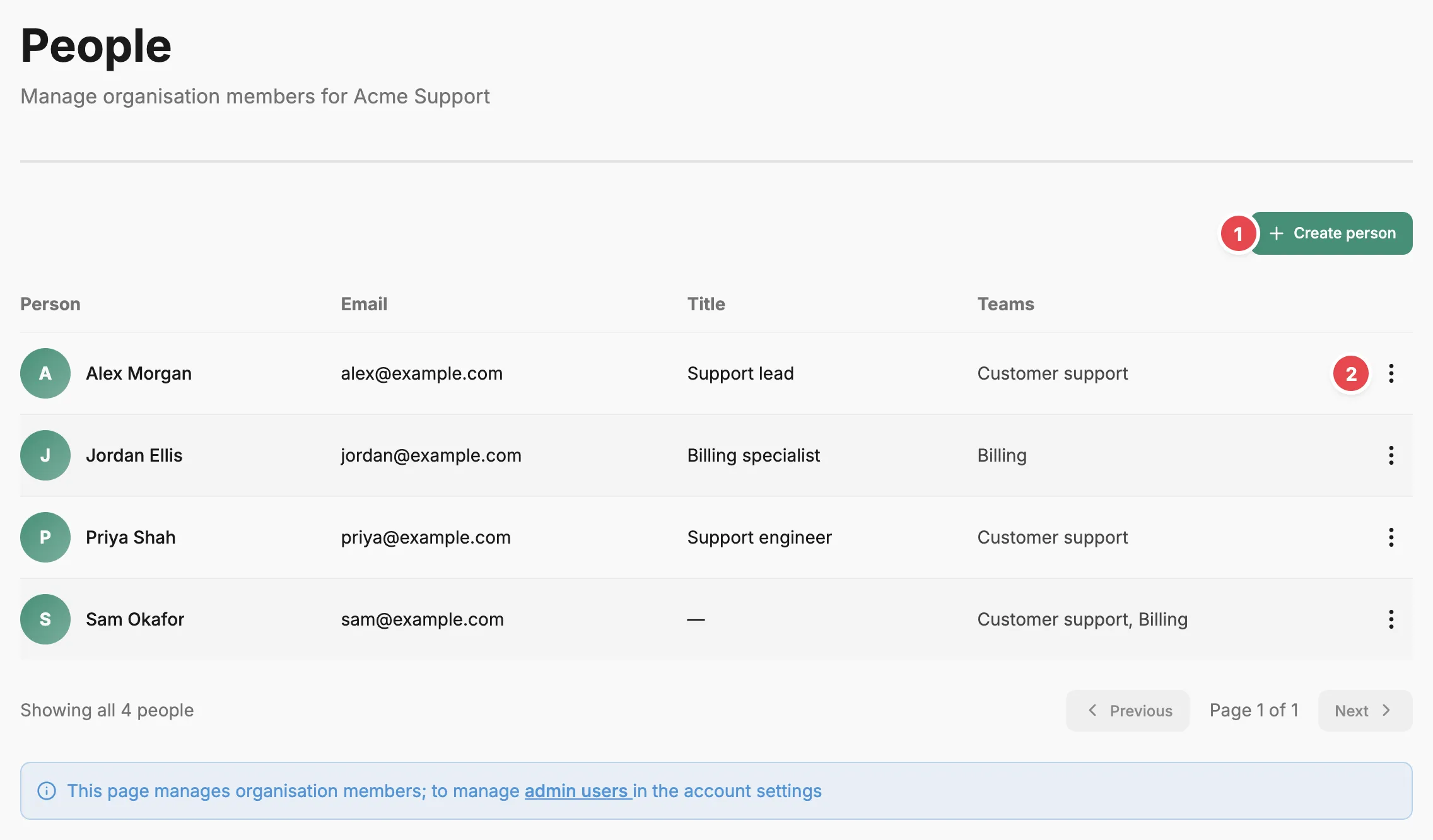
- Create person - adds a person and their teams.
- Action menu - edits or deletes the person.
People list
Section titled “People list”The table lists each person with their Email, Title, and Teams. Select a name to open their person page. Each row’s action menu holds Edit and Delete; deleting asks you to confirm and can’t be undone.
Create person opens a dialog with a Name and Email (both required), an optional Title, and, once the account has a team, a Teams checkbox for each team. Ticking a team is how you add the person to it. Edit opens the same fields.
A person becomes an agent’s owner when you choose them as the owner while registering the agent, or from Edit on its Agent page or Judge page.
Person page
Section titled “Person page”A person’s page shows their title, email, and teams, with Edit and an action menu holding Delete at the top right. Deleting the person returns you to the People page.
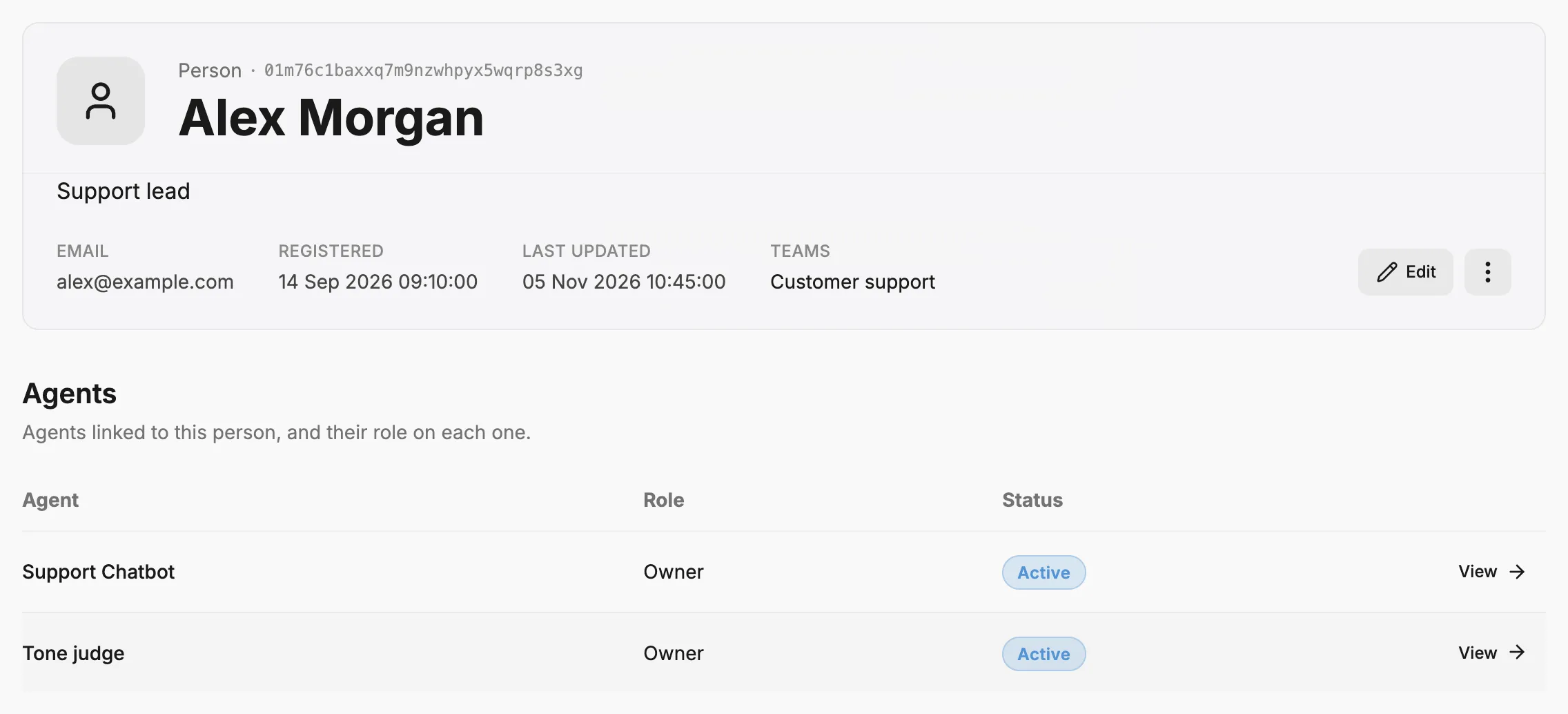
Agents lists the agents this person owns, with their role (Owner) and status. View opens each agent’s page.
Related
Section titled “Related”- Teams — group people and agents into teams.
- Account › Admin users tab — the people who sign in to the web app.
- Organise agents by team — set up teams and assign agents and owners, step by step.
- Agent — what an agent is, including its team and owner.