

Activity schema tab
An activity schema defines the structure and validation rules for the activity spans your agent produces. You’ll come to the Activity schema tab to see which span types a schema version defines, what data and actions each one declares, and whether its definitions are valid. Judges don’t have this tab.
The tab is read-only. To define or change a schema, register it from the SDK; see Schemas and result schemas.
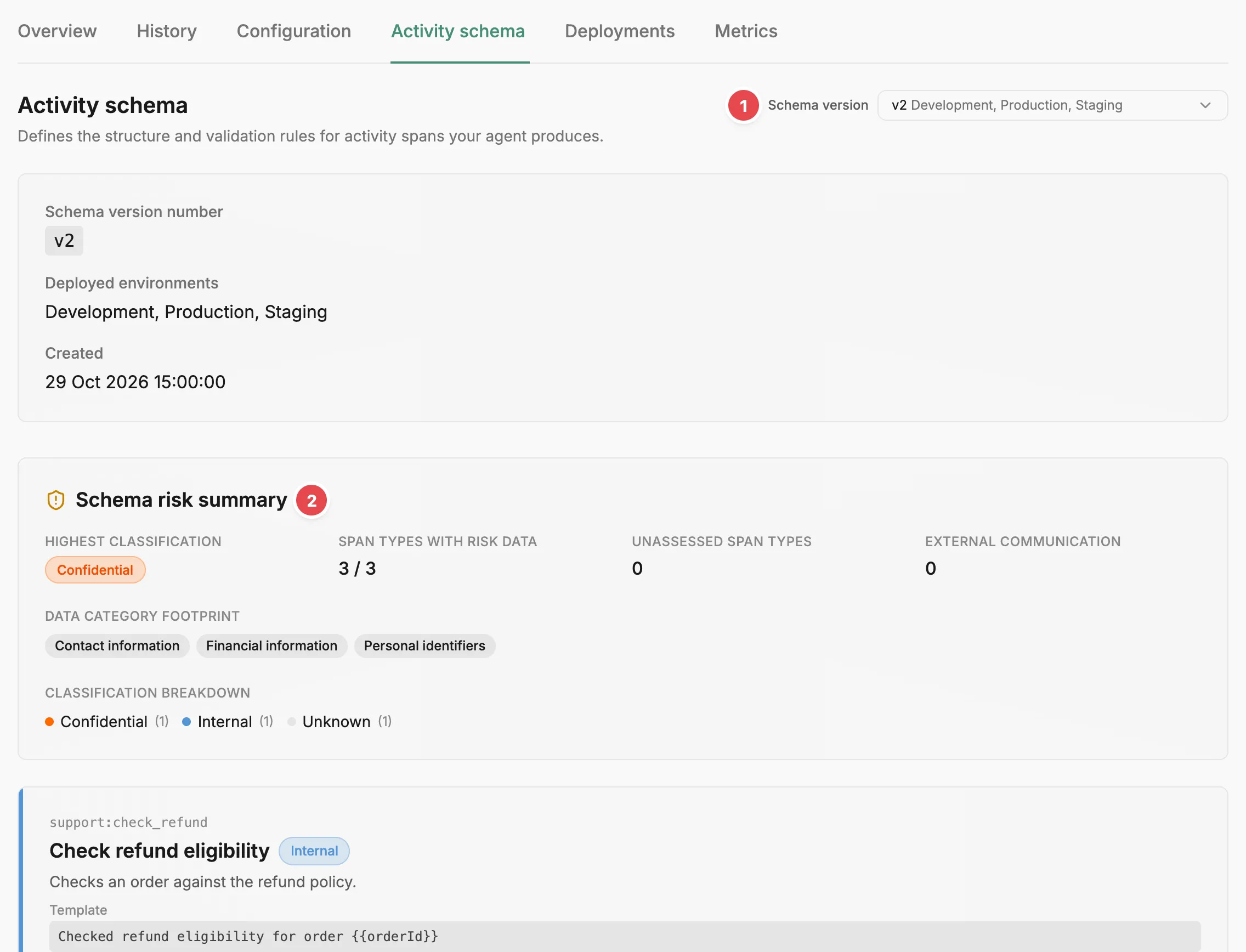
- Schema version - picks the schema version the tab shows.
- Schema risk summary - the risk declarations across the whole schema version.
Choosing a schema version
Section titled “Choosing a schema version”Pick a version from the Schema version dropdown at the top right. Each option shows the schema version’s identifier, the environments it is deployed to (or ”- not deployed -”), and when it was created. Until you pick one, the tab shows the schema version of the agent version the Configuration tab opens on: the one deployed to your highest environment, or the newest.
The card under the heading repeats the Schema version number, the Deployed environments, and when the schema version was Created.
Schema risk summary
Section titled “Schema risk summary”When the agent has a risk profile, a Schema risk summary covers the whole schema version:
- Highest classification — the most sensitive classification any span type declares.
- Span types with risk data — how many span types the schema version has. A span type that declares no data categories still counts, with every category Unknown.
- Unassessed span types — always 0, because a span type with no declarations counts as having risk data.
- External communication — how many span types allow the External communication action.
- Data category footprint — every data category any span type includes.
- Classification breakdown — how many span types fall into each classification, from Secret down to Unknown.
Span types
Section titled “Span types”Below the summary, each span type in the schema version has its own card with its identifier, title, and description. These identifiers are the keys you used when you registered the schema from the SDK, such as user_message or web_search. A Template appears when the span type has one: the Liquid template that renders each span’s one-line summary; see Summary templates.
With a risk profile assigned, each card also shows what the span type declares:
- A classification badge for the span type as a whole: Public, Internal, Confidential, Restricted, Secret, or Unknown.
- Params data and Result data, each with its own classification and the data categories it includes. Special-category data appears under GDPR Art.9, separate from standard personal data.
- Action profile — six actions: Read, Create, Update, Delete, Financial transactions, and External communication. Allowed actions are shown solid, disallowed ones faded, and undeclared ones with a dashed outline.
When a span type’s result data includes authentication credentials or secrets, the card warns: “Authentication credentials or secrets appear in span output — treat as a distinct escalation”. A span type that declares no data categories shows an Unknown badge and “No categories declared” under Params data and Result data, with every action outlined in a dashed line. Treat its risk as unknown. Risk explains how these declarations feed each run’s risk score.
Payload definitions
Section titled “Payload definitions”The bottom of each card holds the span type’s two definitions as JSON:
- Payload schema — the shape of the span’s input payload.
- Result payload schema — the shape of the span’s result payload.
Each is marked Valid or Invalid. Invalid means the definition itself is not a usable JSON Schema, not that a span failed validation. Where Prefactor can tell why, an alert under the label gives the reason.
A permissive definition accepts any object:
{ "additionalProperties": true, "type": "object"}Related
Section titled “Related”- Activity schema — what an activity schema is and how it relates to agents and spans.
- Schemas and result schemas — how to define and register schemas from the SDK.
- Risk profile — how declared data categories and actions are weighted into a score.
- Agent page › Configuration tab — the schema version each agent version uses.
- Agent page — the strip above the tabs.