

Admin users tab
Admin users are the people who can sign in to the account. You’ll come here to check who has access, see when each person was last active, and change what they’re allowed to do.
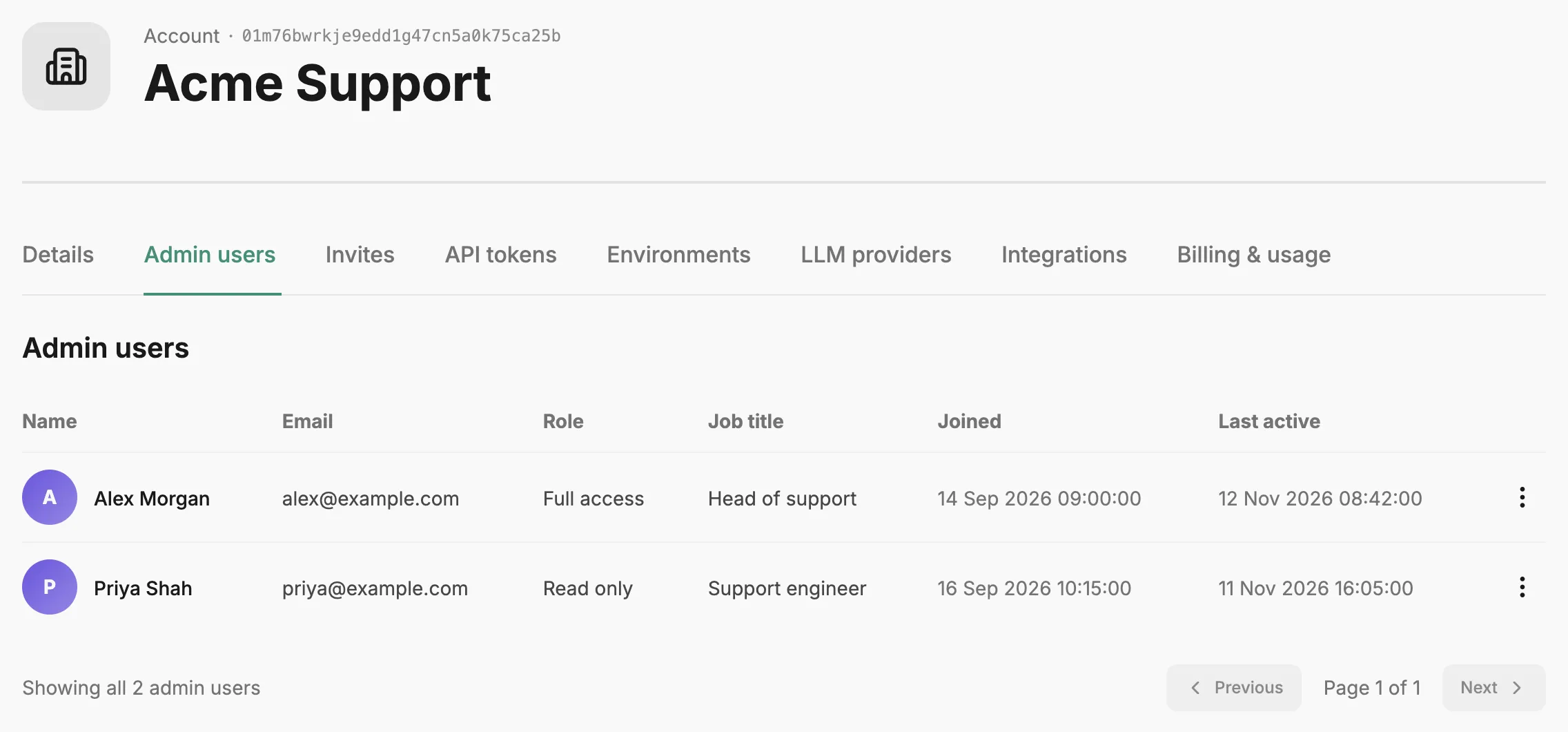
The table shows each person’s name, email, role, job title, when they joined, and when they were last active (or Never). Job title is hidden on personal accounts.
A person’s role is either Full access, which can view and change everything in the account, or Read only, which can view everything but not change it. Read-only users still see every button; when they try to make a change, Prefactor refuses it with an error. See Roles on the Account page.
To change someone’s role, open the action menu on their row and choose Update role. Pick the new role and select Save. You can’t change your own role, so Update role is disabled on your row; ask another Full access user to do it.
There’s no way to remove an admin user from this tab. To add someone, invite them from the Invites tab.
Related
Section titled “Related”- Account page — how the Account settings tabs fit together.
- Account › Invites tab — invite someone and choose their role.
- Invite an admin user — the steps to add someone to the account.
- Account — what an account is and how roles work.