

Environments tab
Environments separate the stages your agents run in, such as Development, Staging, and Production. You’ll come here to add an environment, rename one, or look up an environment ID. Agents belong to the account, not to an environment; deployments and runs are what belong to an environment.
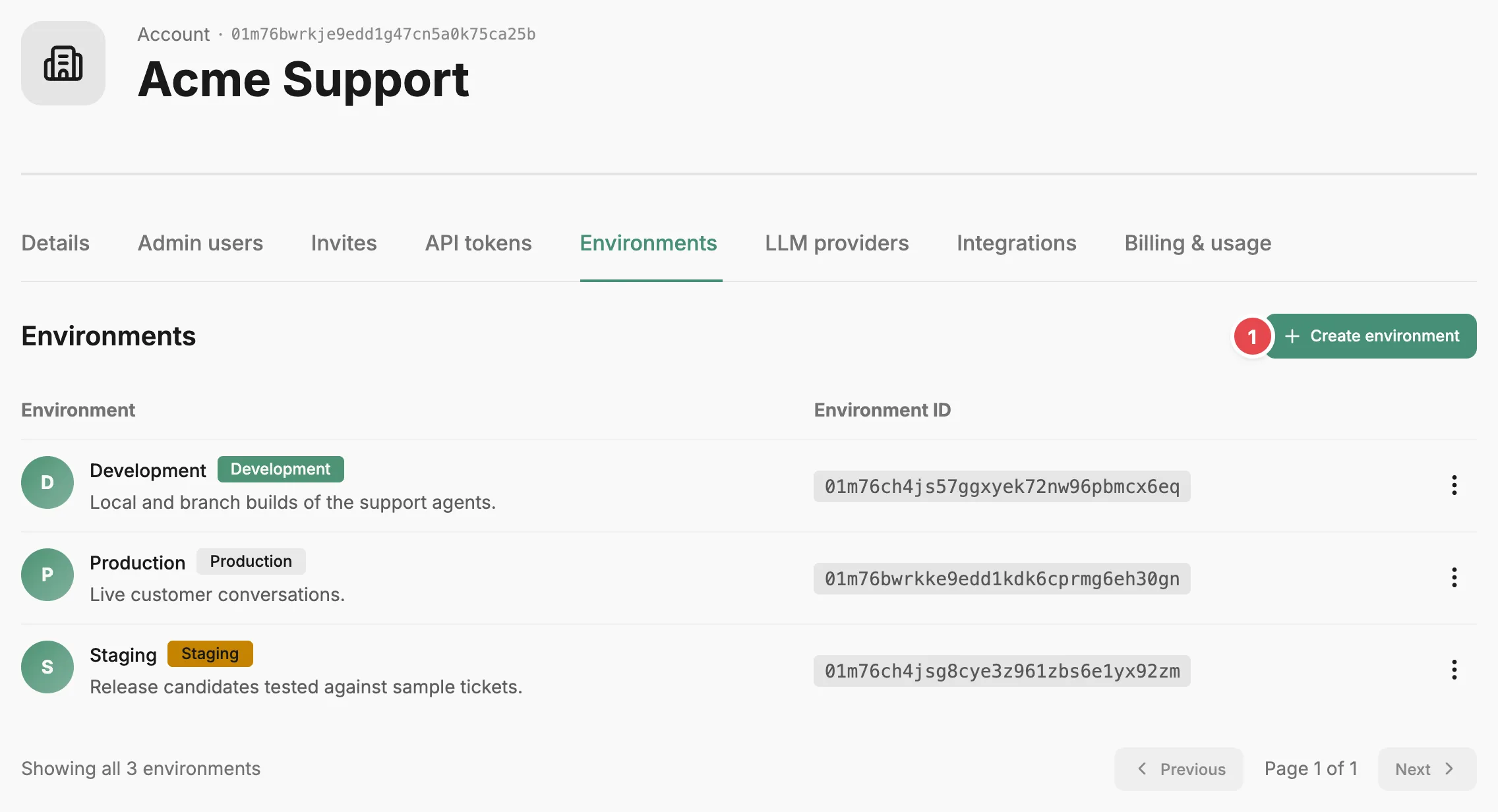
- Create environment - adds an environment to the account.
The Environment column shows each environment’s name, a purpose badge (Development, Staging, Testing, or Production), and its description. The Environment ID column shows the ID that Prefactor generates when you create the environment.
Select Create environment to add one. Enter an environment name, choose a purpose, optionally add a description, and select Create environment. Edit in a row’s action menu opens the same three fields; select Save changes to apply.
Delete, in the same menu, removes the environment after you confirm.
Related
Section titled “Related”- Environment — what environments are and how they scope deployments and runs.
- Agent deployment — how a deployment ties an agent version to an environment.
- Account page — how the Account settings tabs fit together.