

API tokens tab
API tokens are how the SDKs, the CLI, and your scripts authenticate with Prefactor. You’ll come here to create an account-wide token, check when a token was last used, or shut one off.
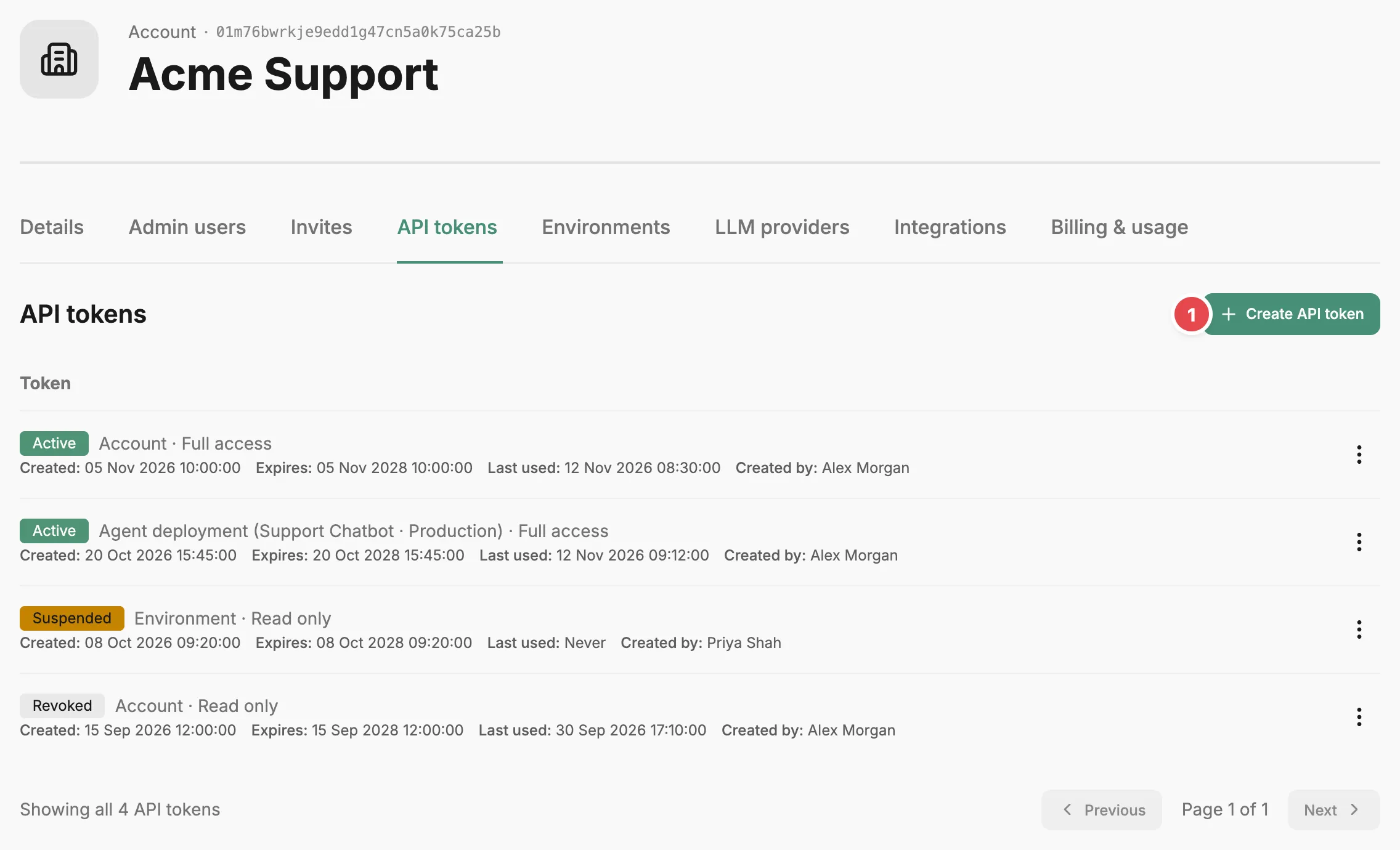
- Create API token - issues a new account-wide token.
The token list
Section titled “The token list”Every token in the account is listed here, including deployment tokens created on an agent’s Deployments tab. Each row starts with the token’s status:
- Active — the token authenticates requests.
- Suspended — the token is switched off but can be switched back on.
- Revoked — the token is permanently switched off.
Next to the status is the token’s scope and role. The scope is Account, Environment, or Agent deployment followed by the agent and environment names. The role is Full access or Read only; a Read only token can read data but any request that changes something is refused. Below that line are when the token was created, when it expires, when it was last used (or Never), and who created it.
Token actions
Section titled “Token actions”The action menu on each row always has Update role, which opens a form where you pick the new role and select Save. The other actions depend on the status:
- Suspend, on an active token, stops it authenticating until you switch it back on. Prefactor asks you to confirm.
- Activate, on a suspended token, switches it back on.
- Revoke, on an active or suspended token, switches it off for good. Prefactor asks you to confirm.
- Delete, on a revoked token, removes it from the list. Prefactor asks you to confirm.
Creating a token
Section titled “Creating a token”Select Create API token, choose a role, and select Create token. The token is account-wide and expires in two years. Prefactor shows the token value once, in the API token created dialog; copy it and store it somewhere safe before you select I’ve saved the token. You can’t see the value again after that.
This tab only creates account-wide tokens. To create a token limited to one agent and environment, use Create deployment token on the agent’s Agent page › Deployments tab. Swapping a token without downtime is covered in Rotate an API token.
To use a token, set it as PREFACTOR_API_TOKEN in your agent’s environment, or pass it as apiToken in the SDK config. See Configuration and environment variables.
Related
Section titled “Related”- API token — what tokens are, how scopes work, and how they authenticate requests.
- Account page — how the Account settings tabs fit together, and what each role allows.
- Agent page › Deployments tab — deployment tokens for a single agent.
- Rotate an API token — replace a token without taking an agent offline.
- Configuration and environment variables — pass a token to the SDK.