

Judges page
A judge scores the runs of other agents. You’ll come to the Judges page to register a judge or to open one that exists.
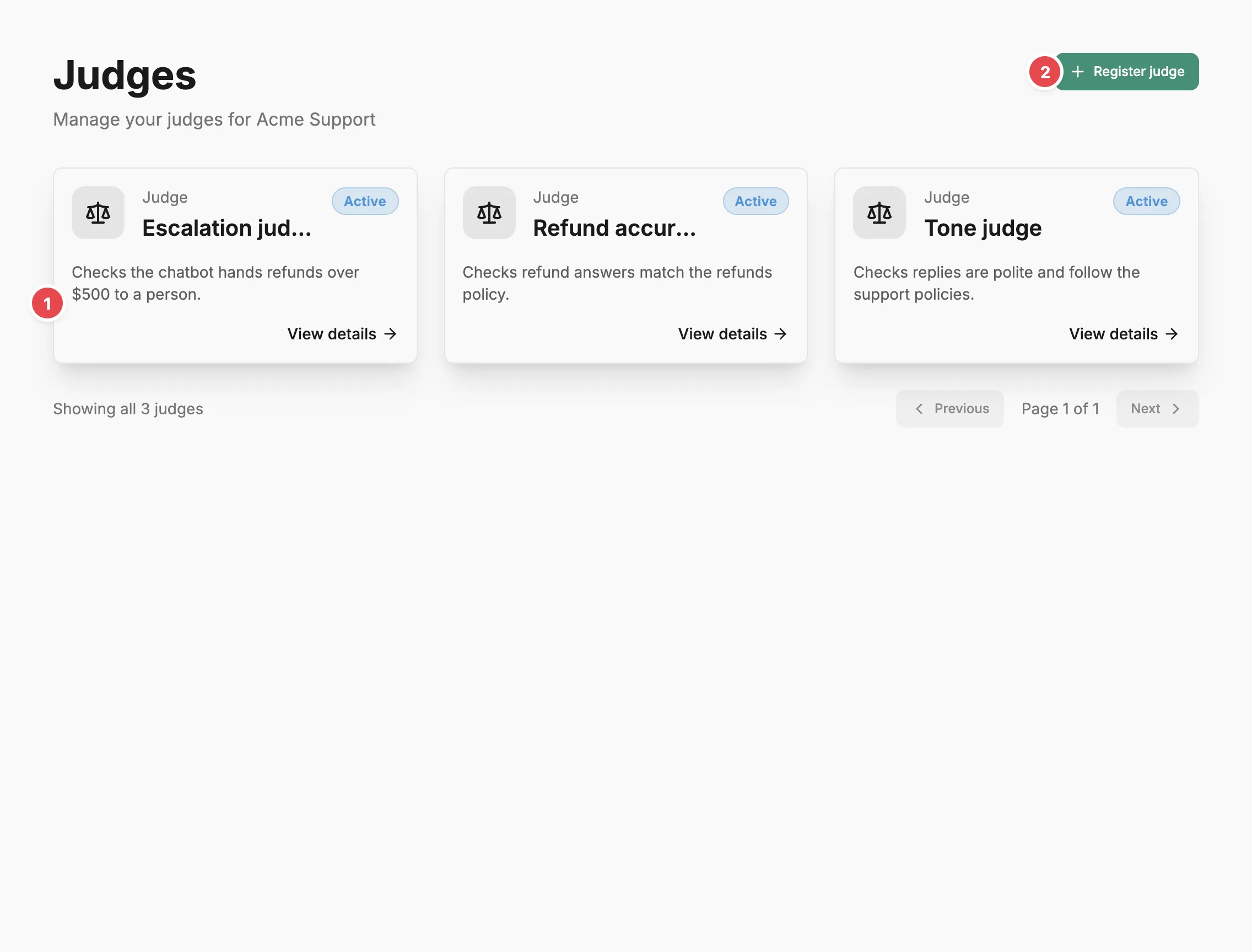
- Judge card - opens that judge’s page.
- Register judge - adds a new hosted judge.
Judge cards
Section titled “Judge cards”Each judge appears as a card with its status, name, and description. Select a card to open its Judge page. While you’re on the Judges page or a judge, the sidebar’s Judges item expands to list judges without a team first, then a heading for each team that has judges, with those judges beneath it. A team heading opens the page filtered to that team.
Register judge
Section titled “Register judge”Register judge opens a form with a name, an optional description, a team, and an owner. Judges take no risk profile. The button is unavailable until your account has an LLM provider with at least one model, and a note above the list links to account settings to add one. After you register a judge, Prefactor opens it on its Configuration tab with the Set up the judge dialog already open, because a hosted judge cannot score anything until it has a version.
Judges registered here are hosted: Prefactor runs them on a model from one of your LLM providers. A remote judge, whose logic runs in your own infrastructure, is registered from the CLI or the API with its execution mode set to remote; see Run a remote judge.
Related
Section titled “Related”- Evals — how judges, the agents they score, triggers, and judge runs fit together.
- Judge page — configure a judge and choose the agents it scores.
- Agents page — the list of standard agents, which judges are kept separate from.
- Account › LLM providers tab — add a provider and model before registering a judge.