

Assign a risk profile
An agent’s runs only get a risk score once the agent has a risk profile. Assign one when you first set up the agent, or switch to a different profile later when the agent’s work changes.
By the end, the agent is linked to the profile and its runs show a risk level on the History tab.
Before you start
Section titled “Before you start”- Your admin user has the Full access role. A Read only user can’t change an agent.
- The profile exists. If it doesn’t, create a risk profile first.
- The agent’s activity schema declares the data categories and actions its span types touch. Scores come from those declarations, so an agent with no declarations scores 0 on any profile.
-
Go to Agents and select View details on the agent’s card.
The Agent page opens. The card at the top shows the agent’s current Risk profile, or None assigned.
-
Select Edit on that card.
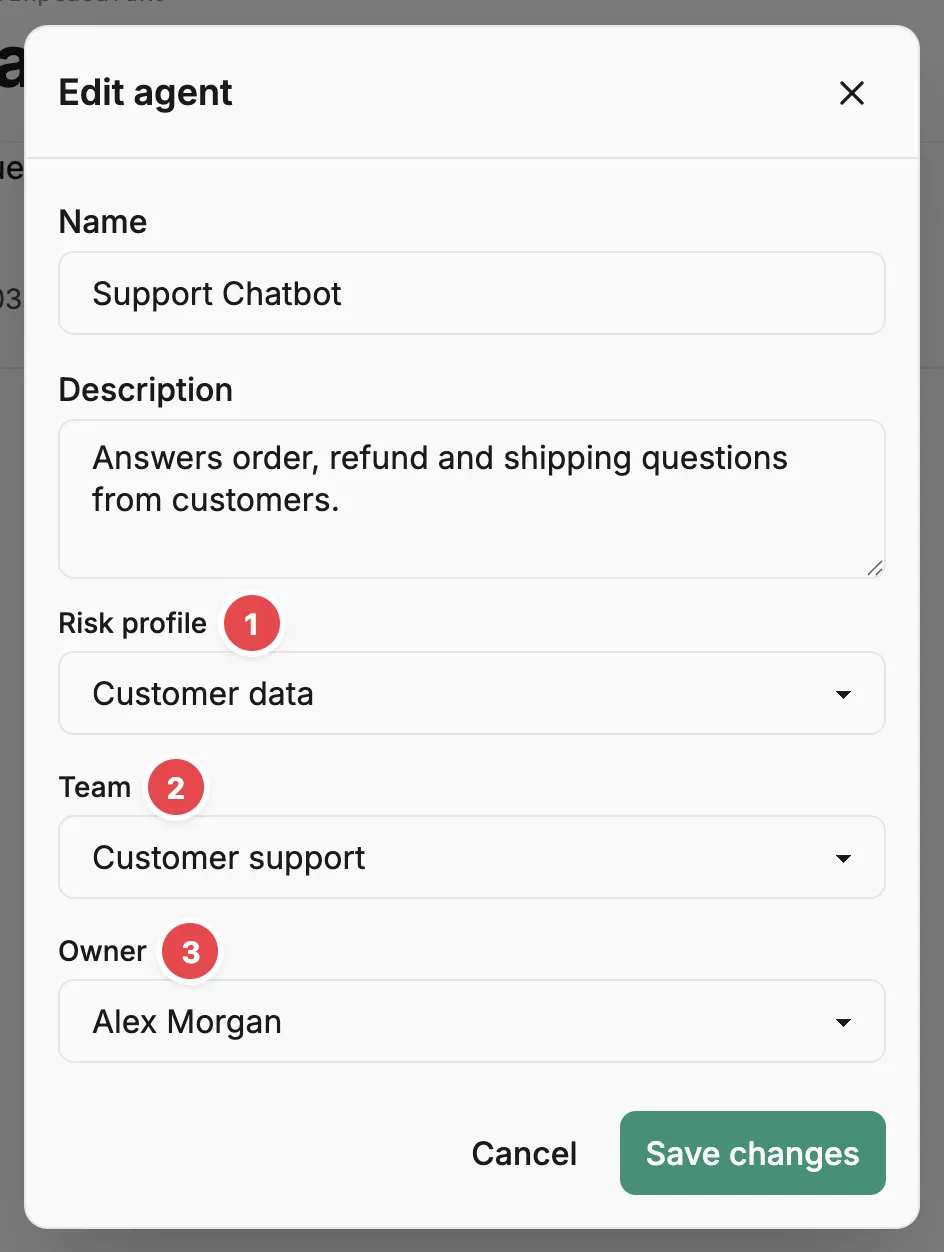
The Edit agent dialog opens with the agent’s name and description, then its Risk profile 1, Team 2, and Owner 3.
-
Choose the profile from Risk profile.
The dropdown lists every profile in the account. Choose None (not assigned) to remove the agent’s profile.
-
Select Save changes.
The dialog closes and Prefactor shows Agent updated successfully. The card at the top now names the profile.
You can also choose a profile when you register a new agent: the Register agent dialog on the Agents page has the same Risk profile dropdown.
Verify
Section titled “Verify”On the Agent page, the strip above the tabs shows how many of the agent’s runs fall into each risk level. On the History tab, each run has a Risk level, and opening a run adds a Risk tab that breaks its score down by span type.
Prefactor scores runs against the profile the agent has now, so runs recorded before you assigned it get a level too. The same applies when you switch profiles or edit the assigned one: every run’s level reflects the current settings.
If it didn’t work
Section titled “If it didn’t work”- There’s no Risk profile field in the Edit dialog. You’re editing a judge. Judges can’t be given a new profile; if one already has a profile, the dialog only lets you clear it.
- Every run is Low with a score of 0. The agent’s activity schema doesn’t declare any data categories or actions, or the profile gives the declared ones a weight of 0. Check the declarations on the Activity schema tab and the weights on the profile’s page.
- The agent is flagged as exceeding its agreed risk. It declares an action the profile disallows, or a data category the profile leaves out. Either change the agent or choose a profile whose agreed risk covers it.
- Saving fails with a permission error. Your admin user is Read only. Ask someone with Full access to change your role on the Account › Admin users tab.
Other ways to do this
Section titled “Other ways to do this”Set risk_profile_id with PUT /api/v1/agent/{agent_id}, or pass it when you register the agent with POST /api/v1/agent.
Related
Section titled “Related”- Risk profile — how a profile turns an agent’s declarations into a score.
- Agent page — the card at the top, the Edit dialog, and the risk distribution strip.
- Agent page › History tab — the Risk level column for each run.
- Investigate a run — read where one run’s score came from.
- Risk page — see which agents use each profile.