

Check your usage
Prefactor counts usage in spans: every step your agents record is one span. Check your usage when you want to know how close the account is to its plan’s allowance, or why this month’s count looks different from last month’s.
By the end you’ll know the account’s plan, how many spans it recorded in any month since it was created, and which days the spans came from.
Before you start
Section titled “Before you start”- Any admin user can read usage. To upgrade the plan from this page, your admin user has the Full access role.
-
Open the user menu at the top right and select Account settings.
The Account page opens on the Details tab.
-
Select the Billing & usage tab.
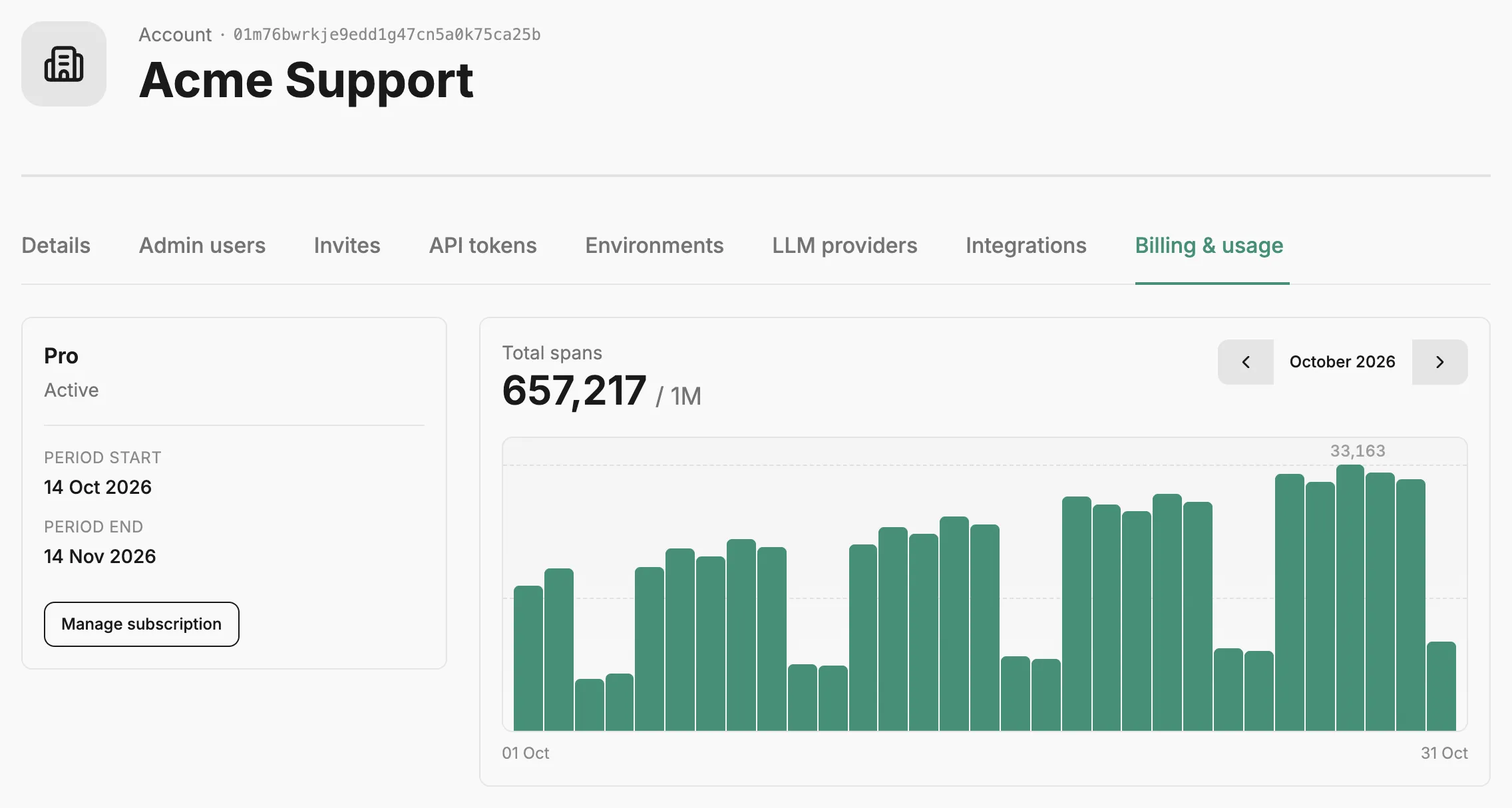
The plan sits on one side and this month’s usage on the other.
-
Read the plan card.
On a paid plan, it shows the plan name, its status, and the Period start and Period end of the current billing period. On the free plan, it shows the plan name and Free plan.
-
Read Total spans.
This is the number of spans the account recorded in the month shown. When your plan has a span allowance, it follows the total, as in
12,480 / 50K. -
Hover over a bar in the chart to see one day’s count.
Each bar is a day of the month, labelled with its date and number of spans. A marker on the chart shows a day your plan changed, with the new plan’s name.
-
Use Previous month and Next month beside the month name to move between months.
You can go back as far as the month the account was created, and forward to the current month.
The usage month is a calendar month. Your billing period can start on a different day, so compare its dates on the plan card before you match a month’s total against an invoice.
To change your plan, select Manage subscription on a paid plan, which opens your Stripe customer portal, or Upgrade plan on the free plan, which opens Choose a plan.
If you can’t find what you need
Section titled “If you can’t find what you need”- The chart says “No spans recorded in this month.” Nothing in the account recorded a span that month. If you expected some, check that your agents’ SDK is reaching Prefactor; see Configuration and environment variables.
- “Usage could not be loaded.” or “Billing details could not be loaded.” Prefactor couldn’t fetch that part of the page. Reload; if it keeps happening, contact support from the Help and support menu at the top of the app.
- The plan card says “Plan details are not available yet.” The account has no plan on record yet. Usage still shows alongside it.
- There’s no Upgrade plan button. Your admin user is Read only, or upgrades aren’t offered from the app for your account. Ask someone with Full access to upgrade, or to change your role on the Account › Admin users tab.
- Previous month is disabled. You’re on the month the account was created; there’s no earlier usage.
Related
Section titled “Related”- Span — what a span is and what each one records.
- Account › Billing & usage tab — everything on the tab.
- Account — what an account is and what belongs to it.
- Instrumentation strategy — decide what your agents record, which drives how many spans they produce.