

Give agents reference documents
When an agent or judge needs the same reference material on every run, such as a policy, a product guide, or a scoring rubric, put it in a knowledgebase and link it. You maintain the documents in one place, and every linked agent and judge reads the current version.
By the end you’ll have a knowledgebase with at least one document, linked to the agents and judges that need it.
Before you start
Section titled “Before you start”- You have the Full access role on the account. Read-only users still see New knowledgebase, New document, and the link buttons, but Prefactor refuses the change with an error.
- The agents or judges you want to link are registered. See Register an agent.
- You have the reference material to hand as Markdown, plain text, JSON, YAML, or CSV.
Create the knowledgebase
Section titled “Create the knowledgebase”-
Go to Knowledgebases and select New knowledgebase.
The New knowledgebase dialog opens.
-
Enter a Name and a Description, then select Create knowledgebase.
The name must be unique in the account. Write the description for the agent: it becomes part of the tool descriptions agents see, so say what the documents cover and when to use them. Prefactor confirms with “Knowledgebase created” and the new knowledgebase appears in the list.
-
Select the knowledgebase’s name on its card.
The Knowledgebase page opens, with Connected agents and judges and an empty Documents list.
Add documents
Section titled “Add documents”-
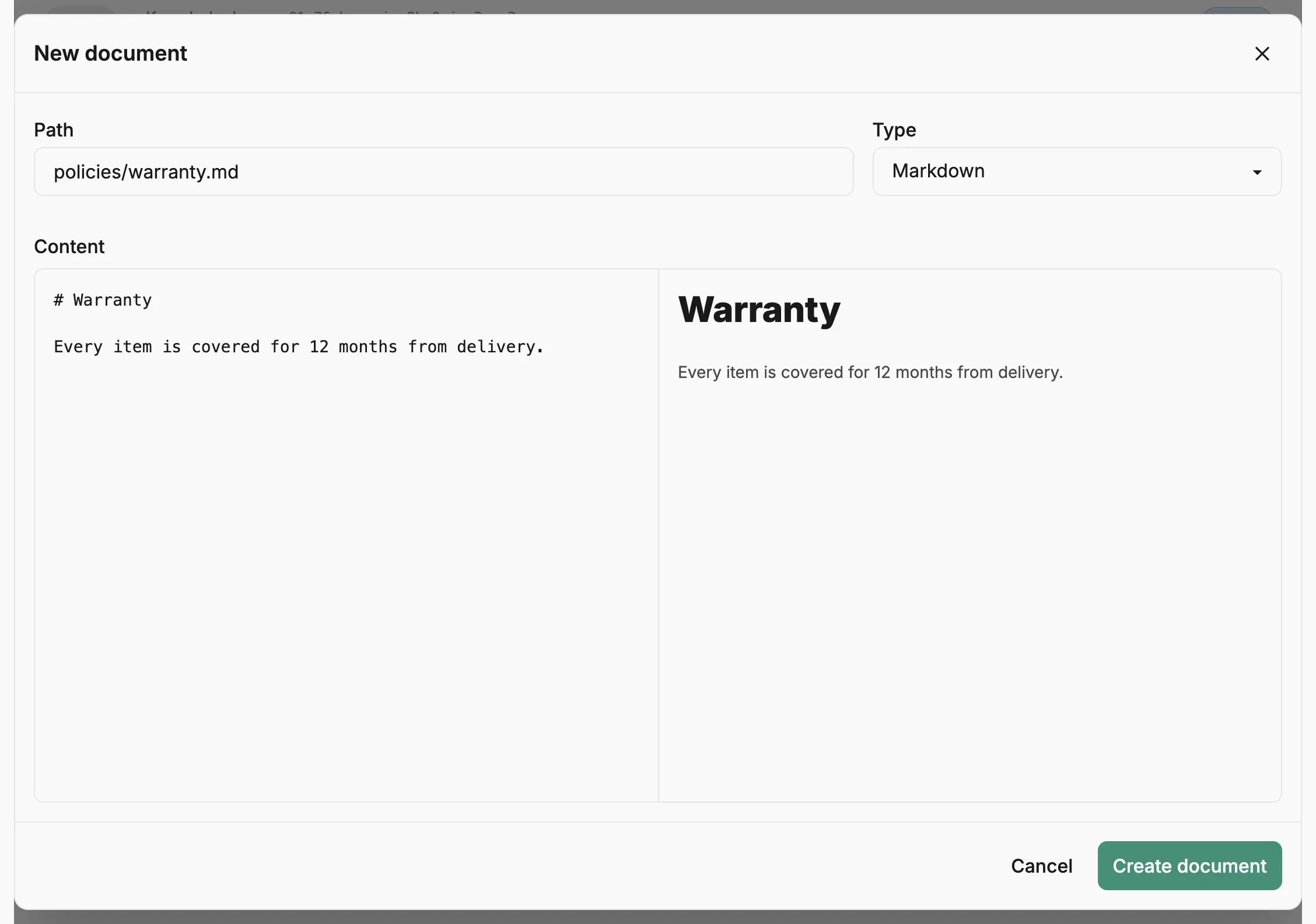
Select New document.
The New document dialog opens.
-
Enter a Path, such as
policies/refunds.md.Slashes in the path put the document in a folder. Type follows the file extension, so
.mdpicks Markdown; change it if the extension doesn’t match the content. -
Paste or write the document under Content, then select Create document.
For Markdown, switch to Preview to check how it renders. Prefactor confirms with “Document created” and opens the new document’s page. Go back to the knowledgebase and repeat steps 4 to 6 for each document.
Link agents and judges
Section titled “Link agents and judges”-
On the Knowledgebase page, select Link agent or judge in Connected agents and judges.
The Link an agent or judge dialog opens.
-
Choose from Agent or judge and select Link.
Each option shows its name and whether it’s an agent or a judge. Prefactor confirms with “Agent linked” or “Judge linked”, and it’s listed under Connected agents and judges. Repeat for each agent or judge that needs the documents.
You can also link from the other side: on the agent’s or judge’s Overview tab, select Link knowledgebase in the Knowledgebases box, choose a Knowledgebase, and select Link knowledgebase.
Verify
Section titled “Verify”Open the agent’s or judge’s Overview tab. The knowledgebase is listed in the Knowledgebases box, which shows what that agent or judge can read. Hosted judges read their linked knowledgebases with built-in tools on every run, starting with the next run after you link. A hosted agent version gets the same tools only when its hosted configuration enables the knowledgebases tool.
If it didn’t work
Section titled “If it didn’t work”- Prefactor shows an error when you create or link. Your role is Read only. Ask a Full access user to make the change.
- Create knowledgebase fails on the name. Another knowledgebase in the account already uses it. Choose a different name.
- Link agent or judge can’t be selected. The note under the button says why: every agent and judge is already linked, or none are registered.
- Link agent or judge is missing. The knowledgebase is archived. Archived knowledgebases can’t be linked; unarchive it from the ⋮ menu on its Knowledgebase page.
- Link knowledgebase on the agent’s side can’t be selected. The menu says why: no knowledgebases exist, none are active, or all of them are already linked. Go to knowledgebases takes you to create or unarchive one.
- A document can’t be edited. The document or its knowledgebase is archived and read-only until you unarchive it.
Other ways to do this
Section titled “Other ways to do this”To manage knowledgebases from a script, create one with POST /api/v1/knowledgebase, add documents with POST /api/v1/knowledgebase_document, and link it with POST /api/v1/agent_knowledgebase_link.
Related
Section titled “Related”- Knowledgebase — what a knowledgebase is and how agents read it.
- Knowledgebases page — every knowledgebase in the account.
- Knowledgebase page — documents, revisions, archiving, and connected agents and judges.
- Agent page › Overview tab — the Knowledgebases box on an agent.
- Evals — how judges score runs, including with reference material.